Customisable parameters in Python algorithms
When developing Python trading bots, technical indicators or plugins, you may need to add and configure customisable parameters. This article explains how to declare and use customisable parameters in a Python algorithm for cTrader.
Note
The execution model for cTrader Python algorithms involves a .NET/C# engine, which requires all customisable parameters to be declared within .cs files. Every time you create a Python algorithm in cTrader, a .cs file for that algorithm is generated automatically and stored in the relevant folder.
Location
The location of the .cs file for a Python algorithm depends on the algorithm type, whether it is a cBot, indicator or plugin, as well as the name of the algorithm.
- For cBots:
Documents/cAlgo/Sources/Robots/{cBot-name}/{cBot-name}/ - For indicators:
Documents/cAlgo/Sources/Indicators/{Indicator-name}/{Indicator-name}/ - For plugins:
Documents/cAlgo/Sources/Plugins/{Plugin-name}/{Plugin-name}/
You can follow these instructions to locate the .cs file for a Python algorithm:
-
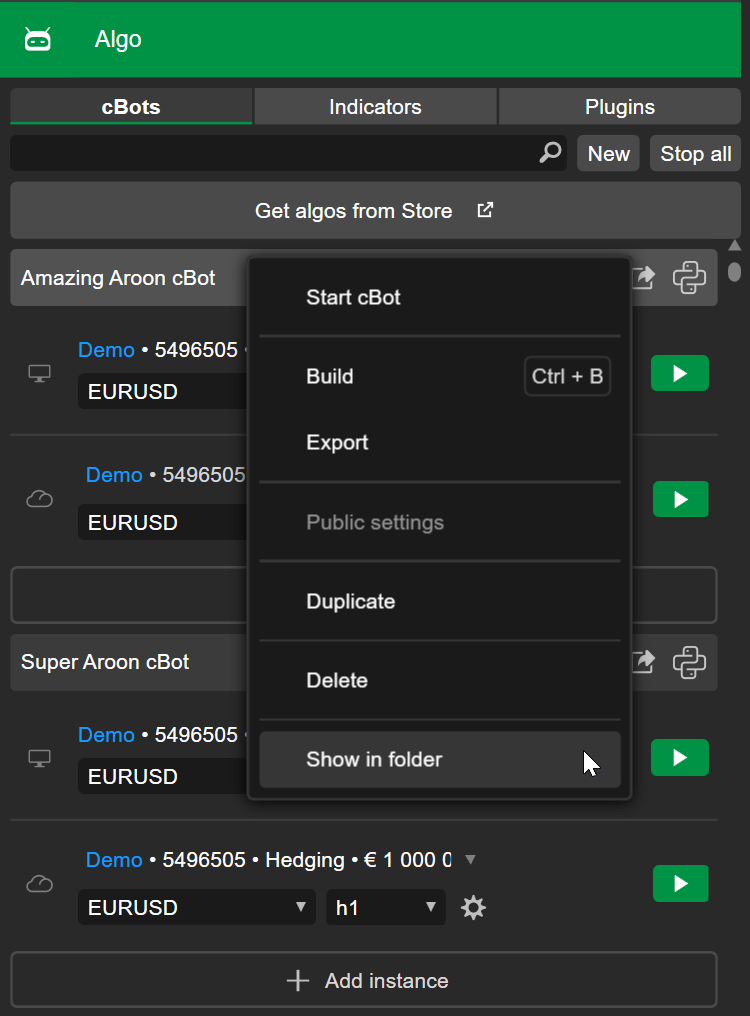
Right-click the algorithm in cTrader Windows or Mac, then select Show in folder.
-
Navigate through
{name-of-algorithm}/{name-of-algorithm}, then identify the.csfile (C# source file) from the list of files.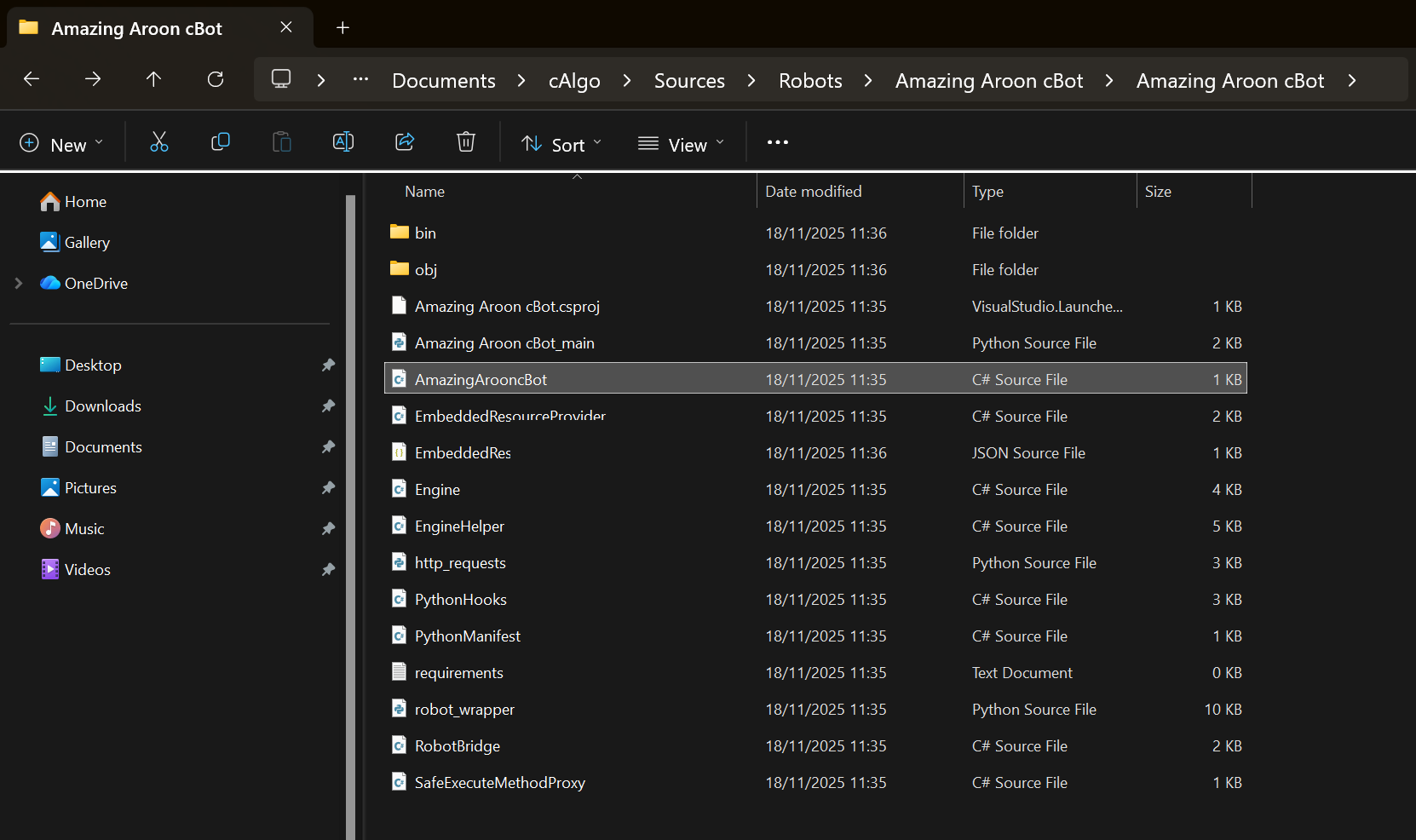
The .cs file typically has the same name as the algorithm, with all spaces removed. For example, an algorithm named Amazing Aroon cBot results in a AmazingArooncBot.cs file.
Tip
In the same folder, you can access the main Python code for your algorithm, stored in a .py file such as Amazing Aroon cBot_main.py. The Python file follows a simple naming convention:
- For cBots:
cBot-name_main.py - For indicators:
Indicator-name_main.py - For plugins:
Plugin-name_main.py
Content
Open the .cs file in any text or code editor, such as NotePad or Visual Studio code and you should see code similar to this:
1 2 3 4 5 6 7 8 9 10 11 12 13 14 15 16 17 18 19 20 21 22 | |
Note
You will see an empty class if you created your Python cBot from scratch without using a template.
Any parameter declared in the .cs file can be used in the main Python file, which houses the code displayed in the code editor. The main Python code below illustrates the usage of the customisable parameters:
1 2 3 4 5 6 7 8 9 10 11 12 13 14 15 16 17 18 19 20 21 22 23 24 25 26 27 28 29 30 31 | |
Advantages
The primary advantage of customisable parameters is that they appear as editable fields in the UI of all cTrader apps, including cTrader Windows, Mac, Web and Mobile. The values in these fields can be modified easily to suit any need or operation, without the need to access or modify the algorithm's source code.
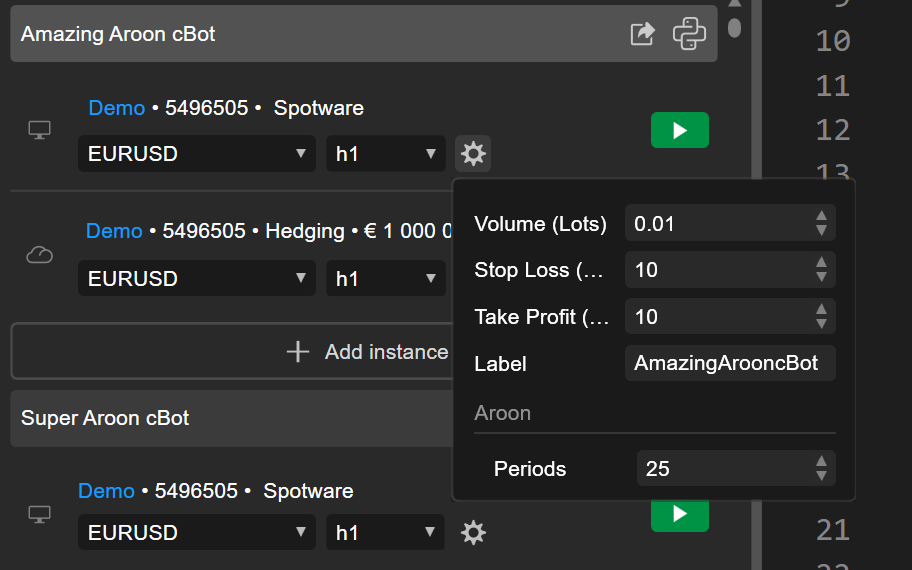
In cTrader Store, sellers often use customisable parameters to ensure that buyers of algorithms are able to adjust the algos to suit their goals and workflows.