Share an algorithm in cTrader
If you are the author of an algorithm, you can share it with other users in several ways.
Automatically
With cloud synchronisation enabled, you can automatically grant all your invited traders access to your algorithm. This setting is applied on a per-algorithm basis.
Open the Public settings of your algorithm, go to the Invite section or tab and tick the Enable access for your invited traders checkbox.

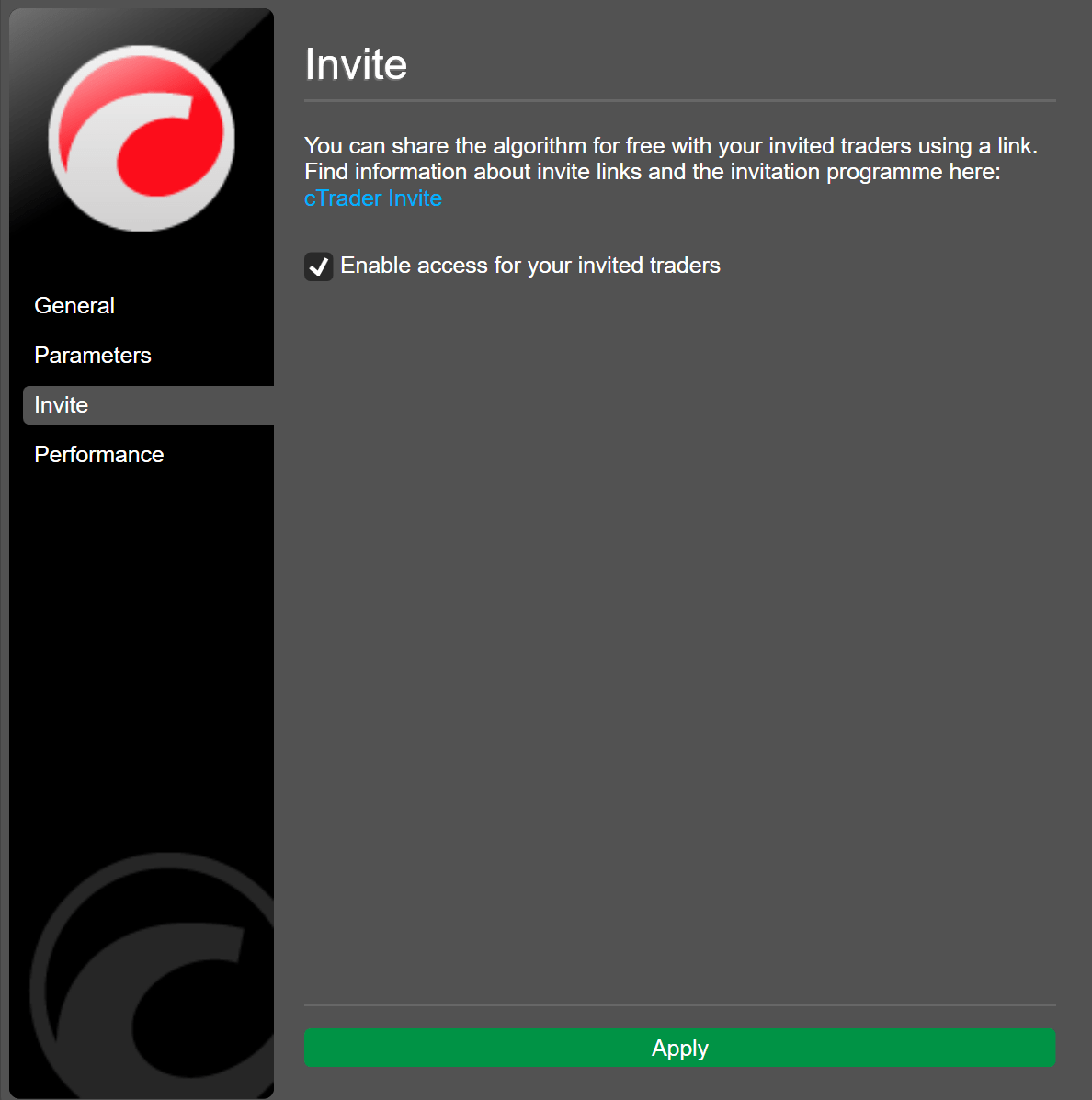
After you apply the changes, your invited traders will automatically see the algorithm in cTrader Algo. If it is a cBot, they will be able to create new cloud instances of it.
Invite link
You can also share your algorithm with invited traders using an invite link, which can be generated in any cTrader application.
Enable access for invited traders and cTrader will generate a link to your algorithm, then you can share the link with your invited traders.
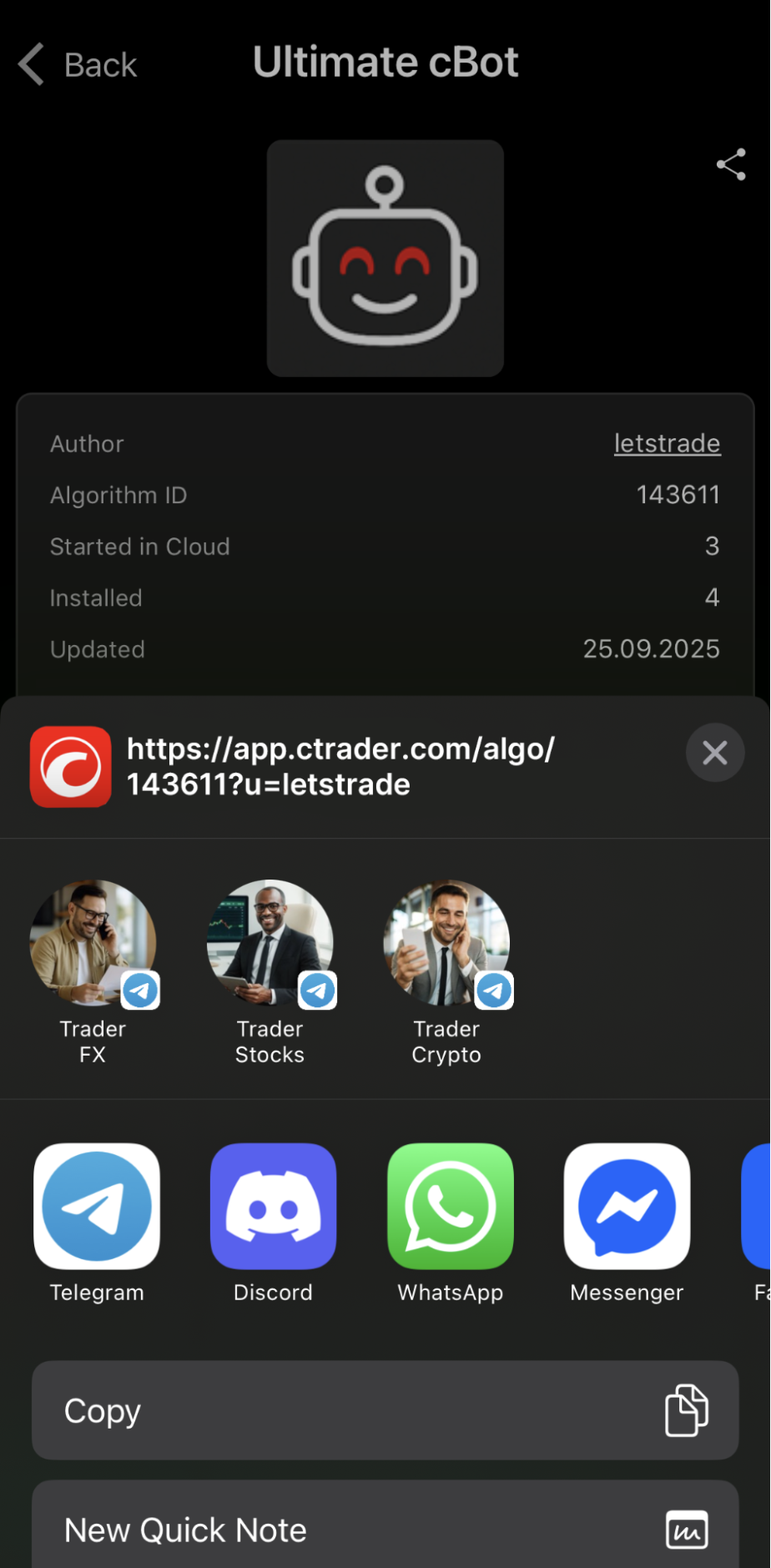
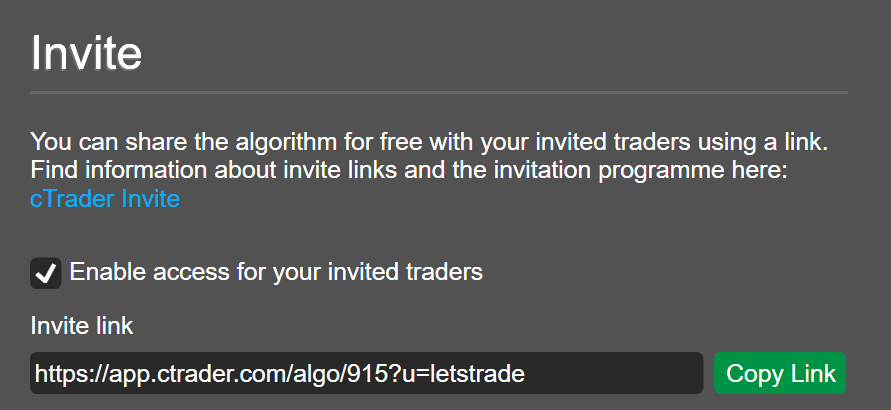
Any invited trader who taps the link will gain access to your algorithm. As with any other cTrader link, it can be shared freely to easily attract new invited traders.
Note
When you share an algorithm via an invite link, you do so for free. Paid algo distribution, however, is possible via cTrader Store, allowing you to become a seller and earn income.
Profile page
You can configure algorithms to appear as product cards on your profile page, and invited traders will be able to access or launch new instances directly from there. If your profile is public, traders may access it by tapping your nickname in the Author field for any algo.
Algo file
You can generate an .algo file in cTrader Windows or Mac and then send or share the file on any platform.
Right-click the algorithm in cTrader Algo and select Export. In the resulting window, choose an export option:
-
No source code, access per user
Note
If this option is chosen, only a specific user will be able to access the algorithm. If another user tries to launch the
.algofile, they will receive an error message. -
No source code, anyone can access
- With source code, anyone can access
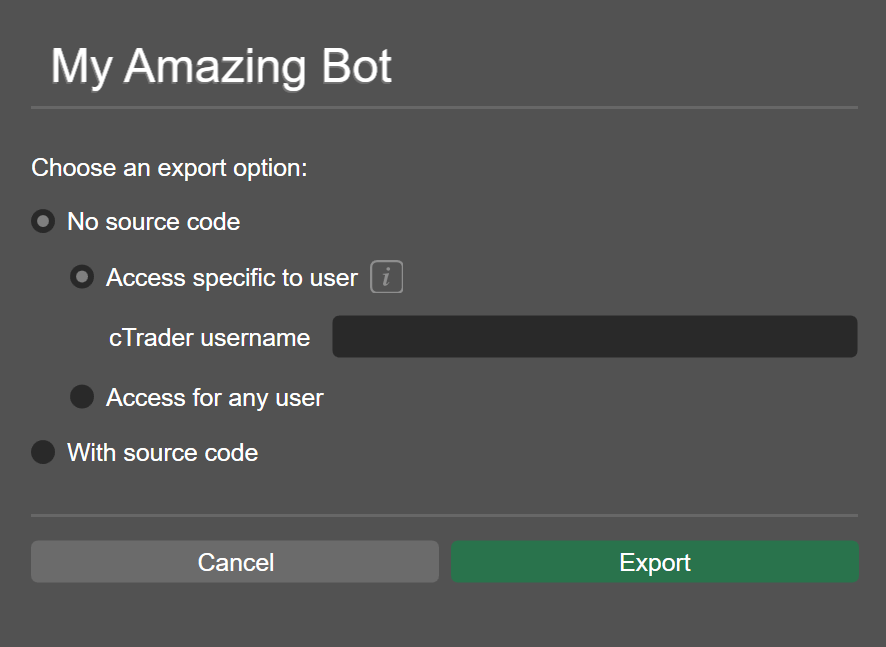
Specify the cTrader ID of the user you want to grant access if applicable and click Export to save the .algo file.
After exporting, you can share the .algo file freely, even with traders using cTrader Mobile. When a user selects cTrader as the app to open the file on their mobile device, the algorithm will be added to the Algo app.