How to install algos in cTrader
After any user receives an .algo file, they can open it by double-clicking it. The file opens in cTrader, and the start window appears.
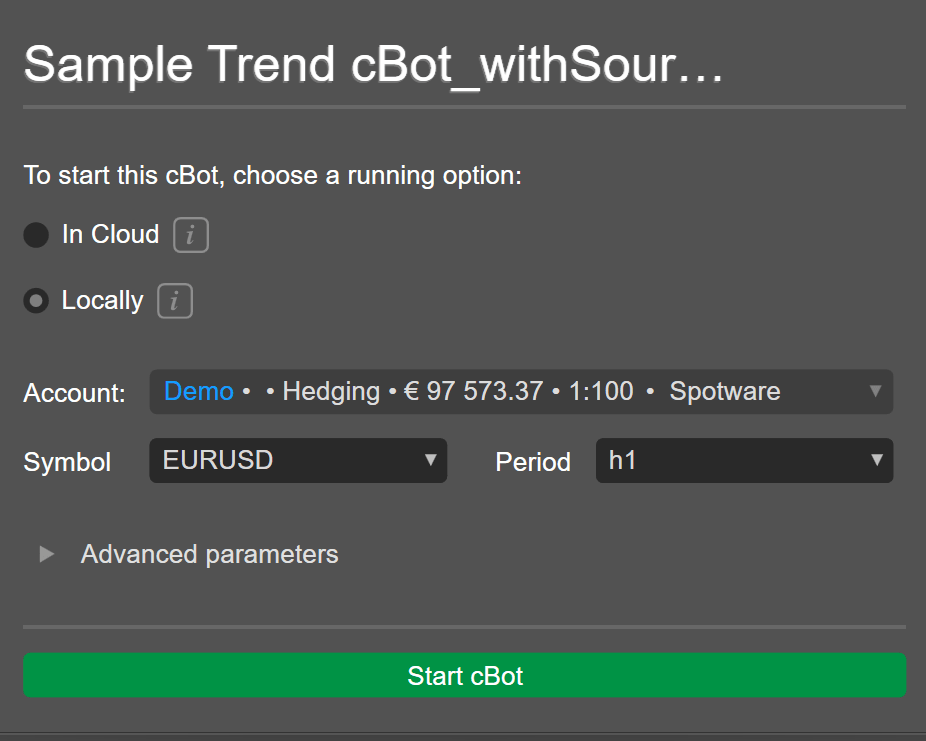
Here, cTrader users can choose to start a cBot in the cloud or locally. They can select a trading account, symbol and period for the cBot. Additionally, Advanced parameters are expandable to configure other settings.
Click Start cBot to begin running the cBot in the cloud or locally.