cBot trading operations
In this guide, we explain in detail the key trading operations you can execute using a cBot developed via Algo API.
These are some of the supported operations for cBots:
- Sending market orders.
- Placing pending orders.
- Modifying pending orders and open positions.
- Closing positions and cancel orders.
- Subscribing to trading events (positions, orders and related activity).
Send market orders
A market order is sent to the trading server when the ExecuteMarketOrder() method is called. After creating a new cBot, you can add this method with several defined properties of the market order (symbol, volume, take profit, stop loss, etc.). The below example places a market order when the cBot starts.
1 2 3 4 5 6 7 8 9 10 11 12 13 14 15 16 17 18 19 20 | |
1 2 3 4 5 6 7 8 9 10 | |
Tip
In the example, several order parameters were intentionally left undefined "". Check References for the signatures and order of all ExecuteMarketOrder() parameters.
Upon building the cBot and adding an instance, you will see that a market order with the specified parameters was executed at the start. The Positions and Log tabs in Trade Watch panel display the corresponding position and log entries.

Place pending orders
cTrader supports three types of pending orders, namely stop orders, limit orders and stop-limit orders. To place pending orders at the start, you can replace the market order with the following snippets of code in the earlier cBot example.
1 2 3 | |
1 2 3 | |
Tip
To quickly inspect the parameters of a method, start typing the method name and an opening parenthesis. You will see an IntelliSense pop-up with additional information.

Tip
If you click on a method/parameter in cTrader Algo and press F1, the help panel to the right of the code window will show the matching search results. If the text cursor remains outside of the code window and you press F1, the Help Centre window will appear to assist you.
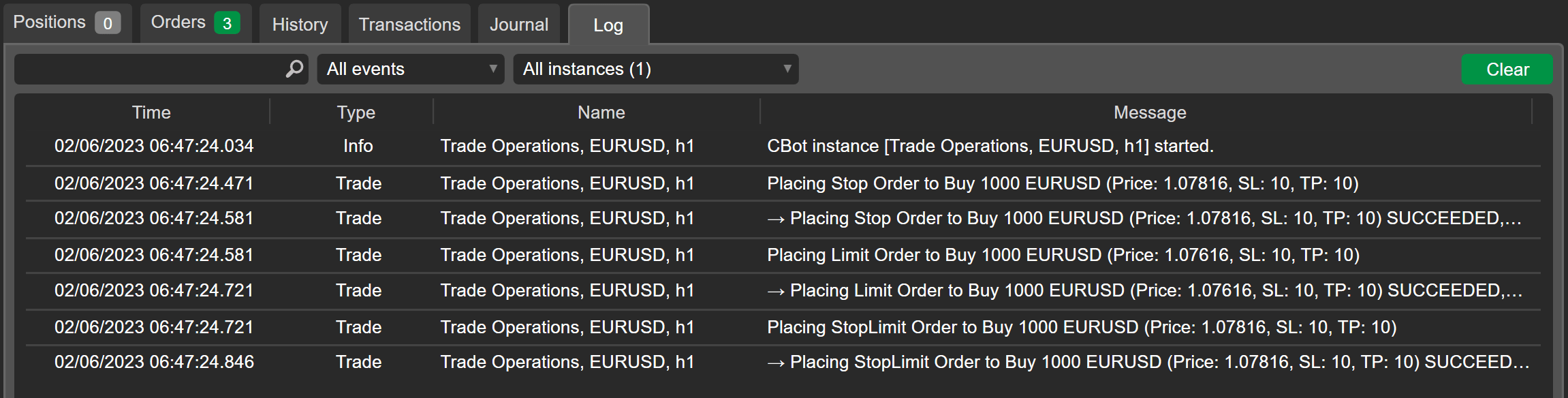
You will see the following records in Trade Watch panel after successful building and running the cBot.

Modify pending orders and open positions
When the pending orders are placed, they become available in your cBot PendingOrders collection. Through this collection, you can access and modify them. The existing pending orders can be modified by adjusting their stop loss level as follows.
1 2 3 4 5 6 7 8 9 10 11 | |
1 2 3 4 5 6 7 8 | |
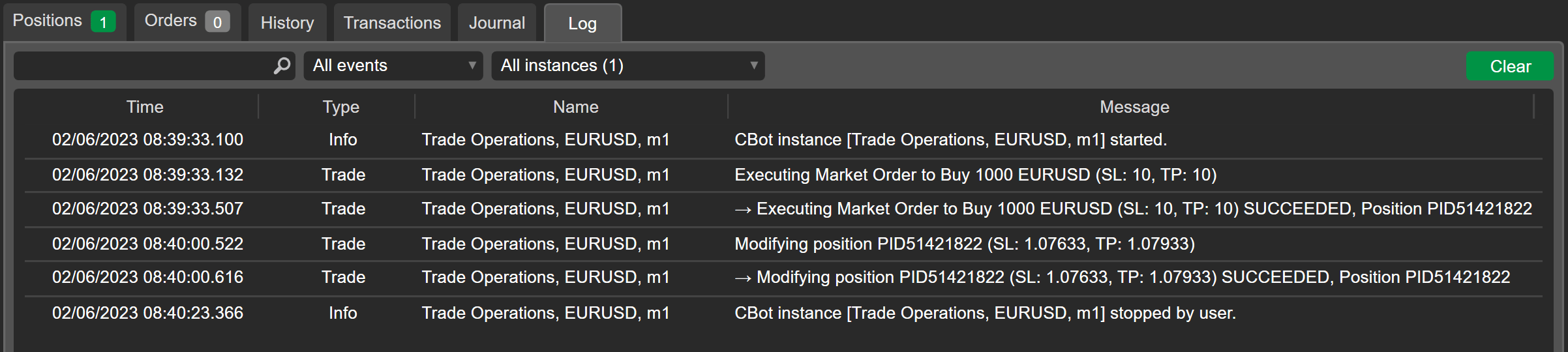
The Log tab of Trade Watch panel displays that the three pending orders were successfully modified immediately after being placed.

After the different order types are executed successfully, positions will be opened for your account. All open positions are available in the Positions collection of your cBot. Similarly to modifying the pending orders in the previous example, you can modify the open position. Since market orders are the fastest way to open positions, let’s add the OnBar() method with a position modification action to the first cBot in this guide.
1 2 3 4 5 6 7 | |
1 2 3 4 | |
As reflected in the log, the open position was modified on the first opened bar.
Close positions and cancel orders
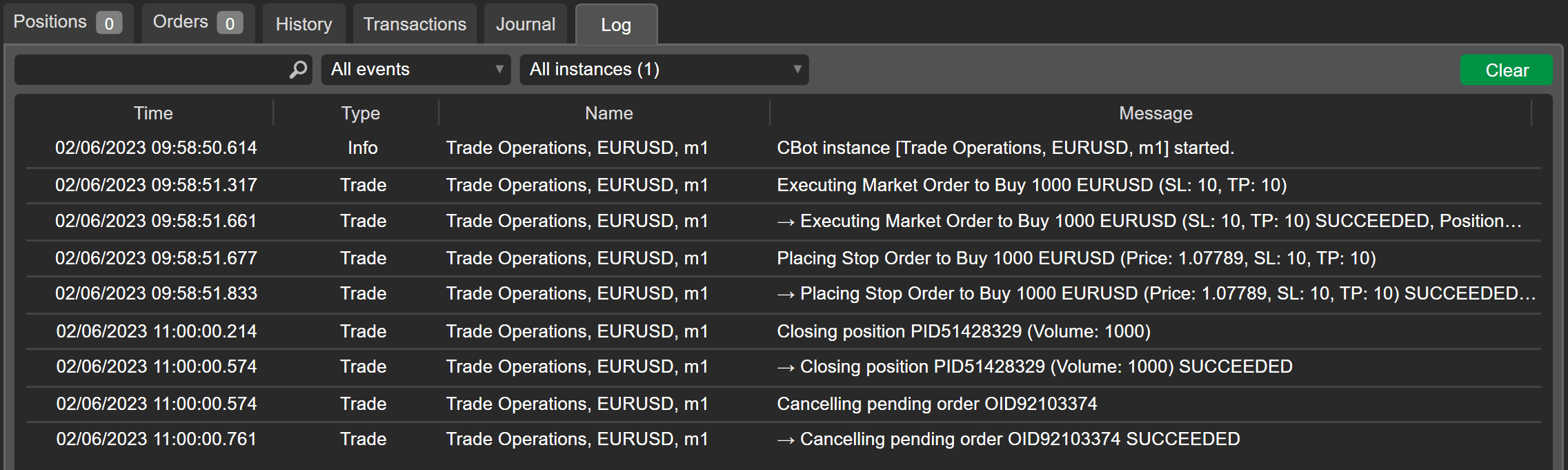
You can find a cBot example below that closes all open positions and cancels all pending orders on Friday at 11:00 (UTC) calling the OnTick() method.
1 2 3 4 5 6 7 8 9 10 11 12 13 14 15 16 17 18 19 20 21 22 23 24 25 26 27 28 | |
1 2 3 4 5 6 7 8 9 10 11 12 13 14 15 16 17 18 19 | |
Subscribe to trading events
cTrader allows algorithm developers to subscribe to trading events and monitor trading activity, no matter if these have been initiated by a cBot or manually. It is achieved by listening to events available in the two collections demonstrated earlier, Positions and PendingOrders.
There are three events available for positions:
OpenModifiedClosed
They are triggered when you open, modify and close the positions on your account, respectively.
In the below code snippet, the three events are declared in the OnStart() method and the methods to be called are assigned. These will automatically create the code signatures for us to use. Afterwards, Print() statements are added to each of the event methods.
1 2 3 4 5 6 7 8 9 10 11 12 13 14 15 16 17 18 19 20 21 | |
1 2 3 4 5 6 7 8 9 10 11 12 13 | |
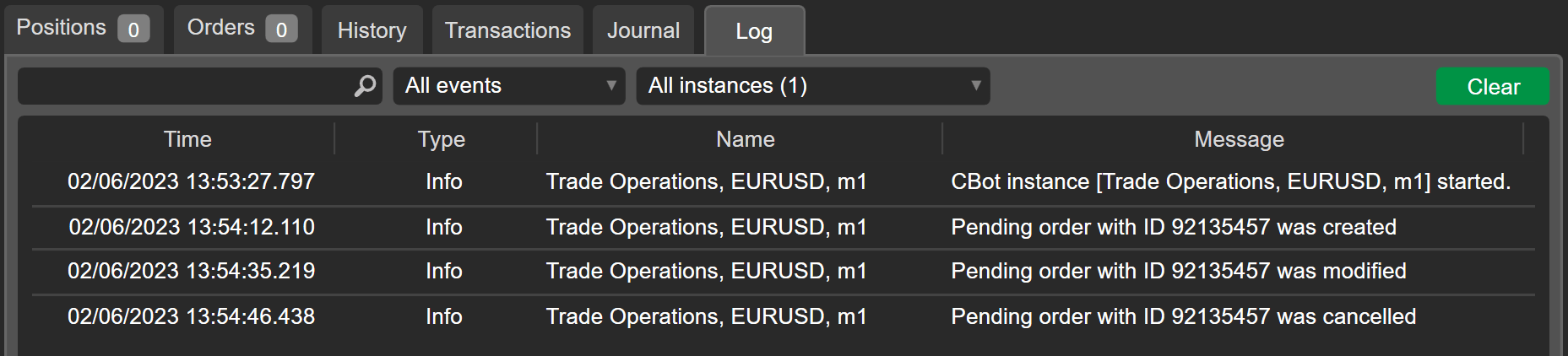
Whether it is you or the cBot who performs the Open, Modified and Closed events, the algorithm will reach to them each time with printed messages as shown in the log below.

Similarly, you can subscribe to events related to pending orders. There are four available events for pending orders:
CreatedModifiedFilledCancelled
The four events are declared in the OnStart() method, and the event handlers are added as follows.
1 2 3 4 5 6 7 8 9 10 11 12 13 14 15 16 17 18 19 20 21 22 23 24 25 26 27 | |
1 2 3 4 5 6 7 8 9 10 11 12 13 14 15 16 17 | |
If subscribed to the events related to pending orders, the cBot will react to both manual and programmed trading activities.
Summary
To conclude, cTrader equips algorithm developers with an impressive arsenal of trading operations that can be executed by cBots. By skillfully applying them, you can pursue tailored and sophisticated trading strategies.