Shared Access
Money managers and other partners have found it difficult to execute remote access to individual accounts for trading on behalf of a third party. From a different perspective, having granted access to a partner, account owners would like to observe deals in real time and reserve the right to revoke access at any moment.
To resolve these issues, cTrader Mobile offers a built-in shared access feature. This guide explains how to share and revoke access in cTrader Mobile on your Android phone.
Shared Access in one minute!
- Due to the Shared Access feature of cTrader on Android, traders can grant access to money managers for trading on their behalf.
- Users can share access from the Manage trading accounts screen.
- Once access is shared, any of the parties can promptly revoke and reject it with a few taps.
- All trading decisions remain transparent and trackable, which contributes to an account owner’s sense of control. In addition, deposit and withdrawal operations remain open only for account holders.
Benefits of Shared Access
Remote trading. As a money manager, you are granted access to a third-party account. When a new cTrader account is shared with you, you can enjoy the full functionality of the shared account except for deposit/withdrawal operations and receiving/editing alerts.
Full control and transparency. As a cTrader account owner, you can delegate trading activities to more experienced partners without fear of losing your own access and transparency. You will be able to revoke access at any moment you consider necessary.
Win-win partnership. When sharing accounts with experienced money managers, traders may generate higher streams of revenue due to skilful portfolio management. In turn, money managers will benefit from easily accessing all shared accounts in one place.
Mobility and accessibility. Shared access and further money/portfolio management are available on an Android device, which adds to accessibility and allows partners and account owners to interact with each other on the go.
How to share access
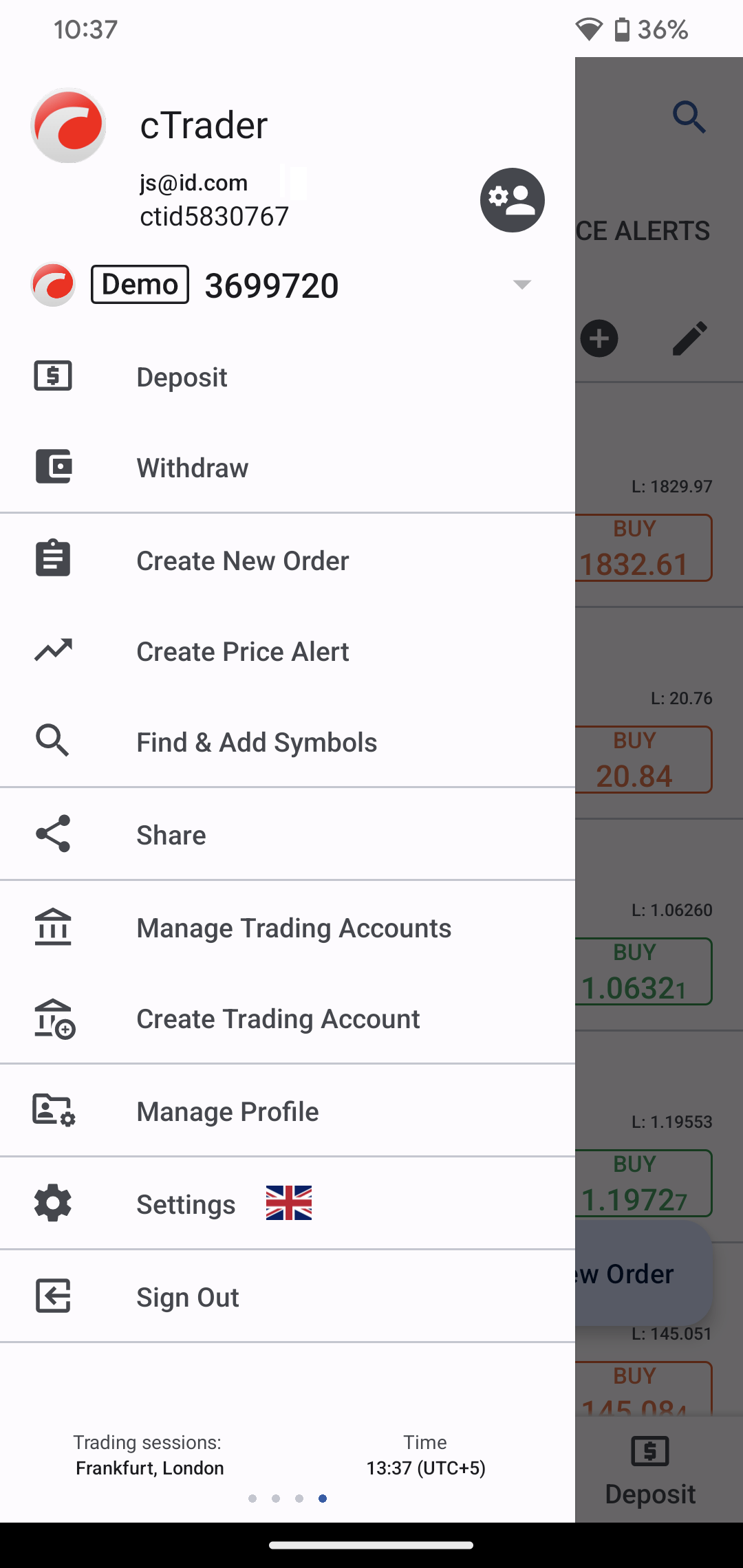
1. To share access with a partner, open the Hamburger menu in your cTrader app and tap Manage trading accounts.
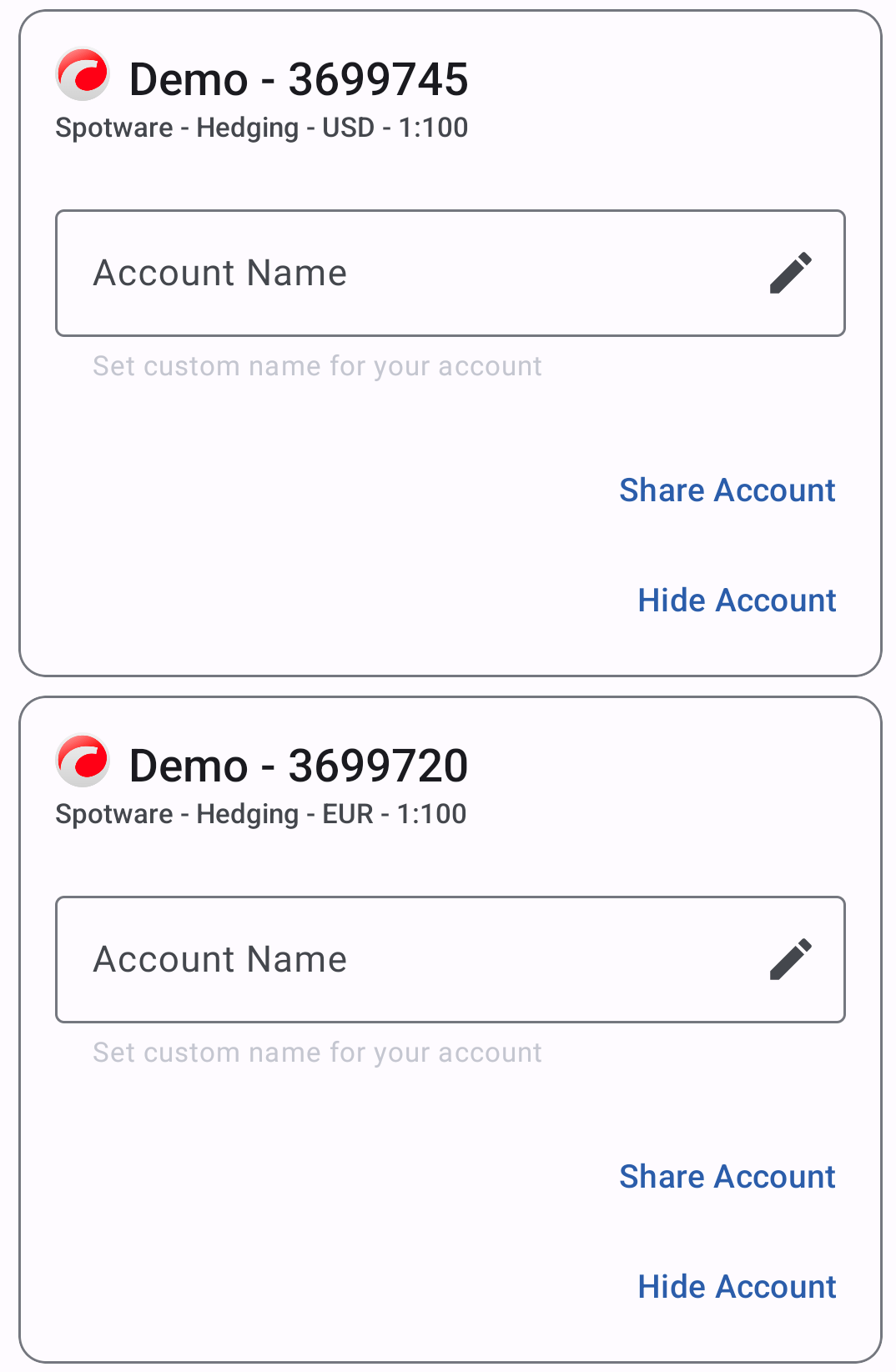
2. If you have several accounts, you can choose which one to share. Tap Share account under the corresponding account.
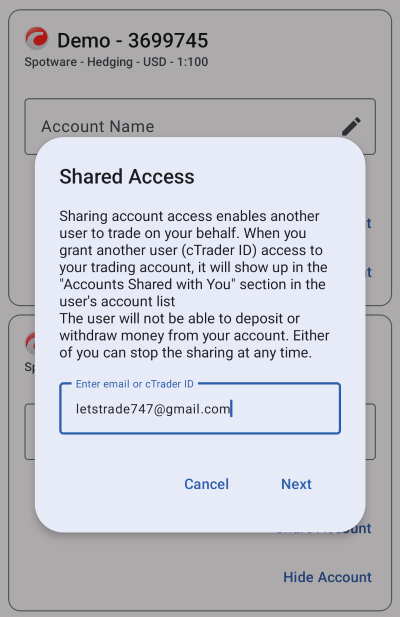
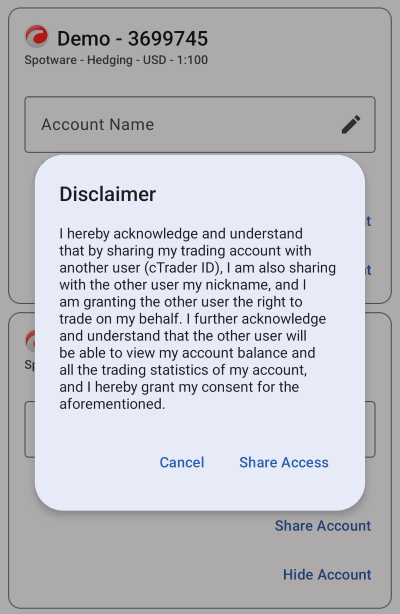
3. You will then be asked to enter the email or cTrader ID (nickname) of the person you are sharing with and tap Next. Note that an email should be registered as a cTrader user, and you cannot share access with yourself. If you acknowledge the consequences shown on the disclaimer, tap Share access. You will receive a notification email that your account has been shared.
4. Upon sharing, any party can see the account(s) shared by/with them in the drop-down lists in the Hamburger menu and at the top of the screen.
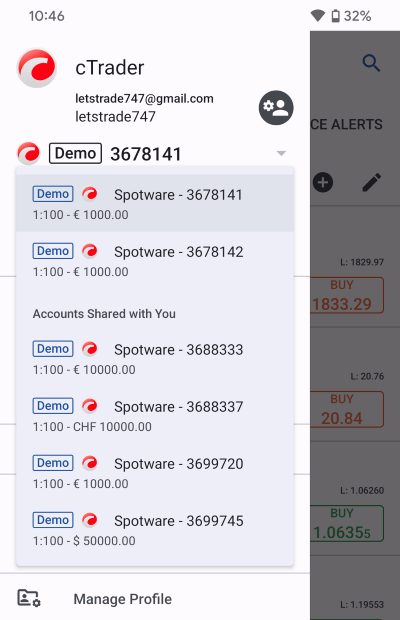
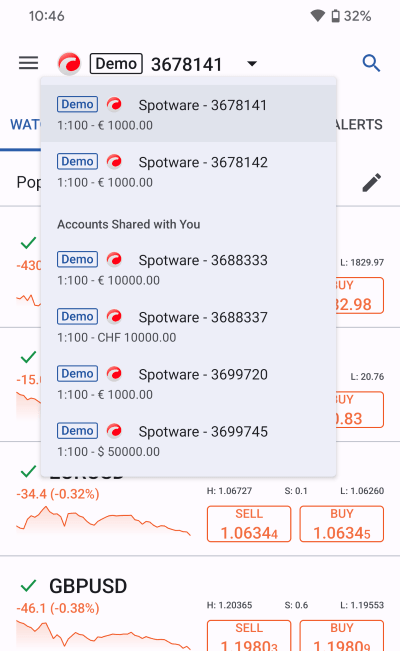
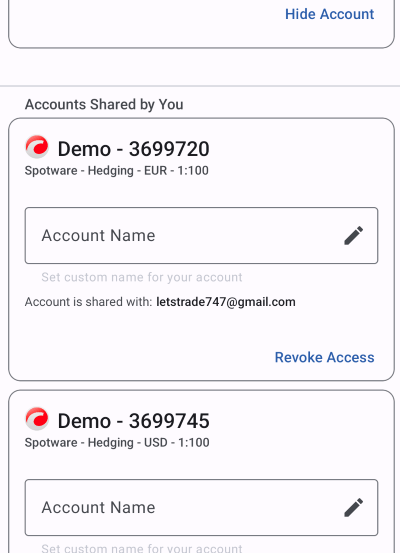
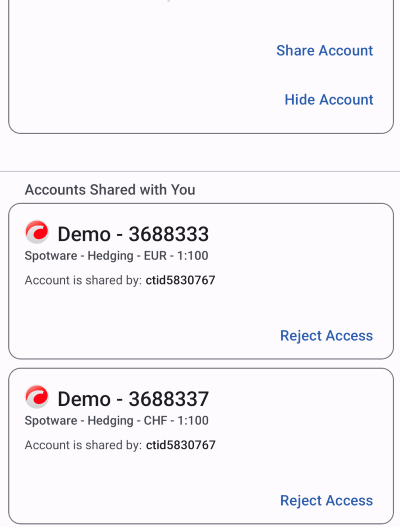
5. If you tap Manage trading accounts again in the Hamburger menu, a separate section will list the accounts shared by/with you.
How to revoke access
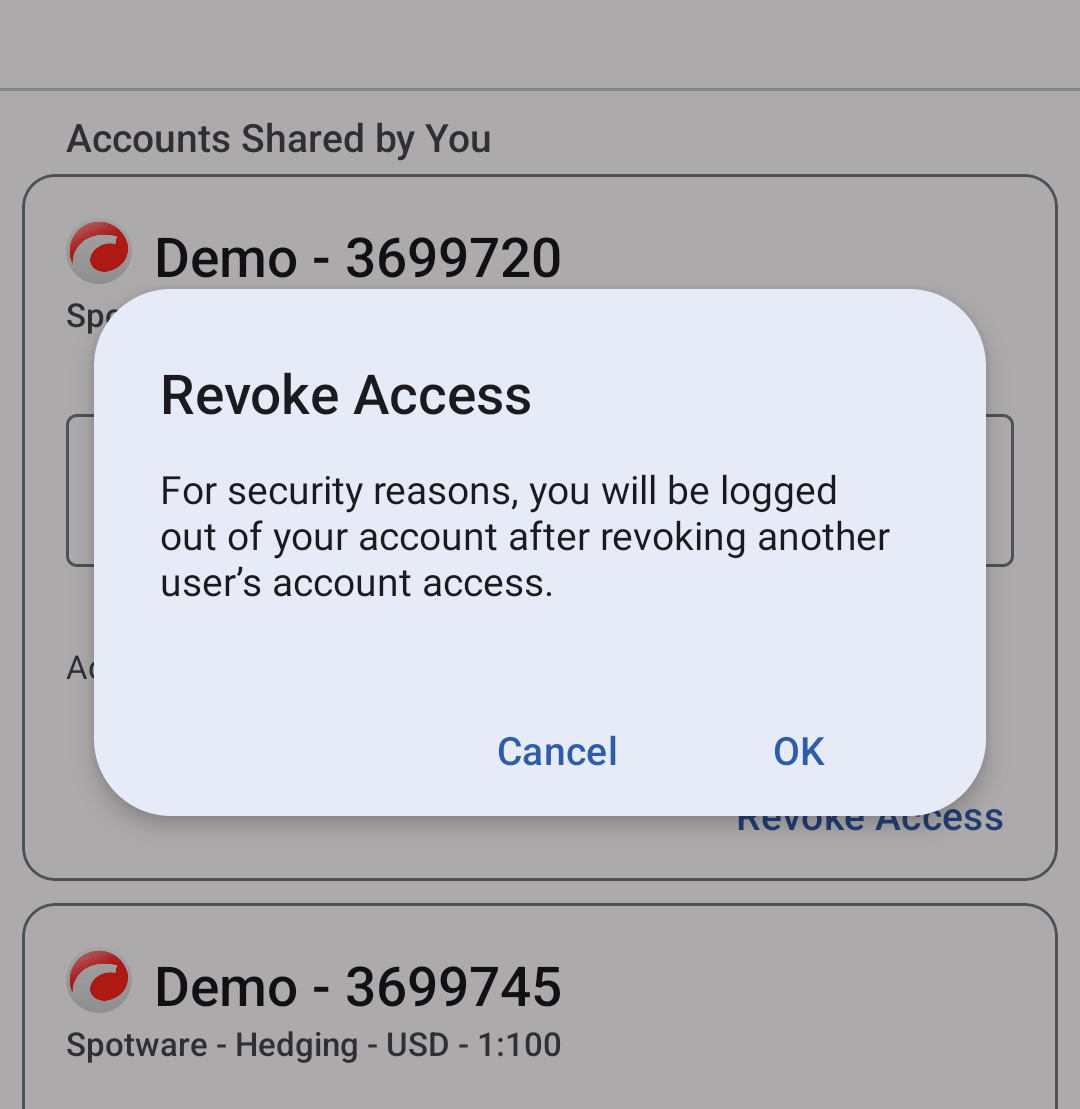
1. You can easily revoke access to your account by tapping Revoke access in the Manage trading accounts section in the Hamburger menu (see the screenshots above). A notification informing that you will be logged out of your account for security reasons will pop up.
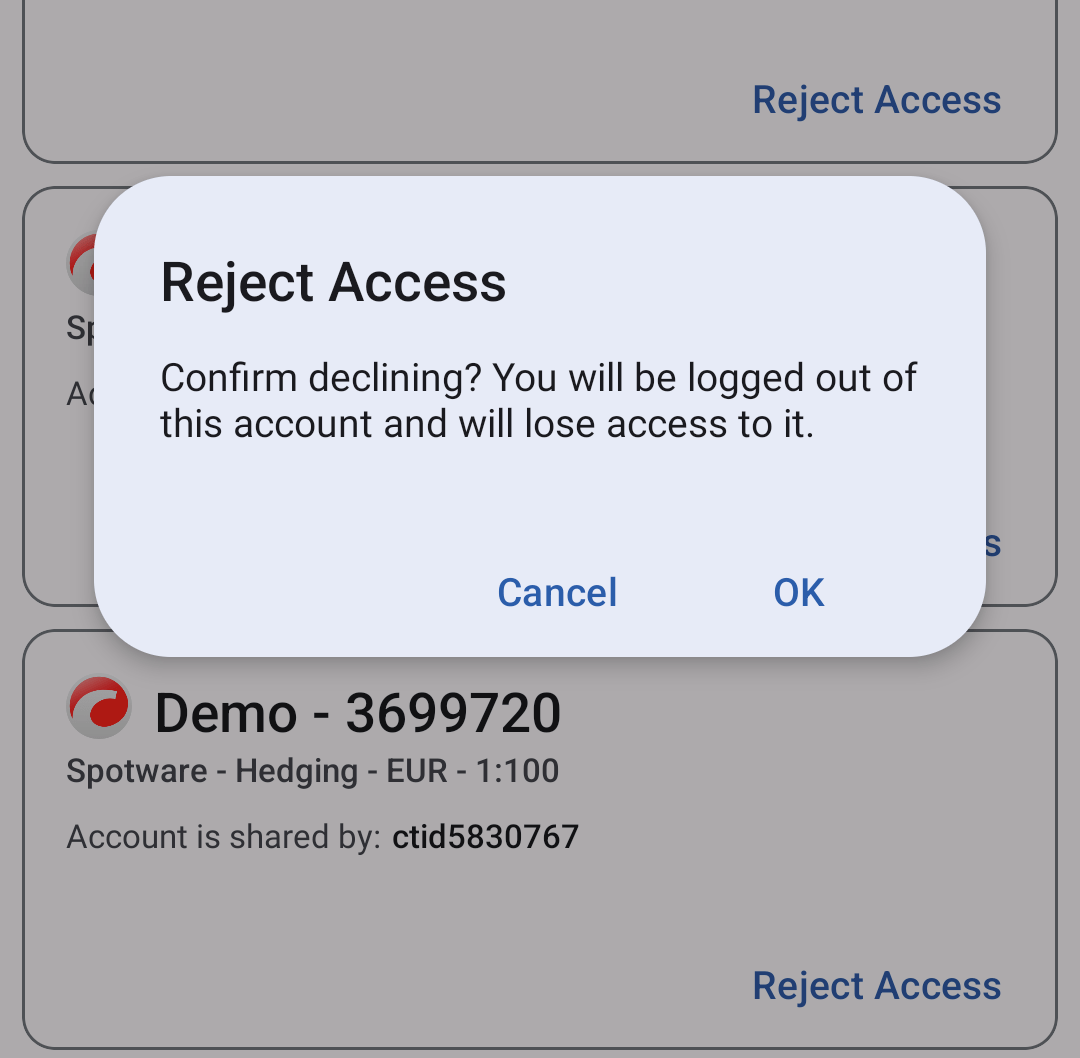
2. Access can be terminated from any end. If it is the partner who initiates the sharing cessation, they should open Manage trading accounts in the Hamburger menu and tap Reject access under the needed account shared with them. A confirmation notice will pop up to prevent users from accidental rejection.
After access is cancelled, a notification email will be sent to the email address registered as your cTrader login. You can then share access with a different partner or with the same partner again.
To summarise, the access sharing functionality of cTrader Mobile enables account owners and their partners to collaborate effectively. Remote access to individual accounts is especially beneficial to money managers and partners who can use this feature for trading on behalf of a third party. Access can be revoked by any of the parties at any time, thus making the sharing feature entirely controlled and safe.