Protections
cTrader offers several risk management tools called protections, such as stop loss, trailing stop loss, break-even and take profit, all accessible when placing an order, modifying a pending order or protecting an open position.
cTrader protections in one minute!
- cTrader provides server-side protections out of the box.
- All protections work across cTrader apps and stay active after your session ends.
- Advanced take profit supports server-side scaling out, with up to 5 levels per position to lock in partial profits as the price moves in your favour.
- Trailing stop loss follows the market automatically when it moves in your favour, protecting your trade while keeping it open.
- Break-even sets a stop loss at the entry price once your specified trigger level is reached.
Stop loss and take profit each take their value in one of two ways:
- Relative protection – you set the value in Pips, as a distance from the entry price.
- Absolute protection – you set the value in Price, as an exact level that does not move with the entry price.
Both fields are shown together. Check the level in pips and in price before you confirm.
Example
If you open a buy position on EURUSD at 1.2500 and set a stop loss, relative protection sets the stop loss 10 pips below the entry price at 1.2490, as the value is defined in pips. With absolute protection, the stop loss is set at a fixed value such as 1.2490, based on price, and it does not adjust with the entry price.
You can add or change protections in three places:
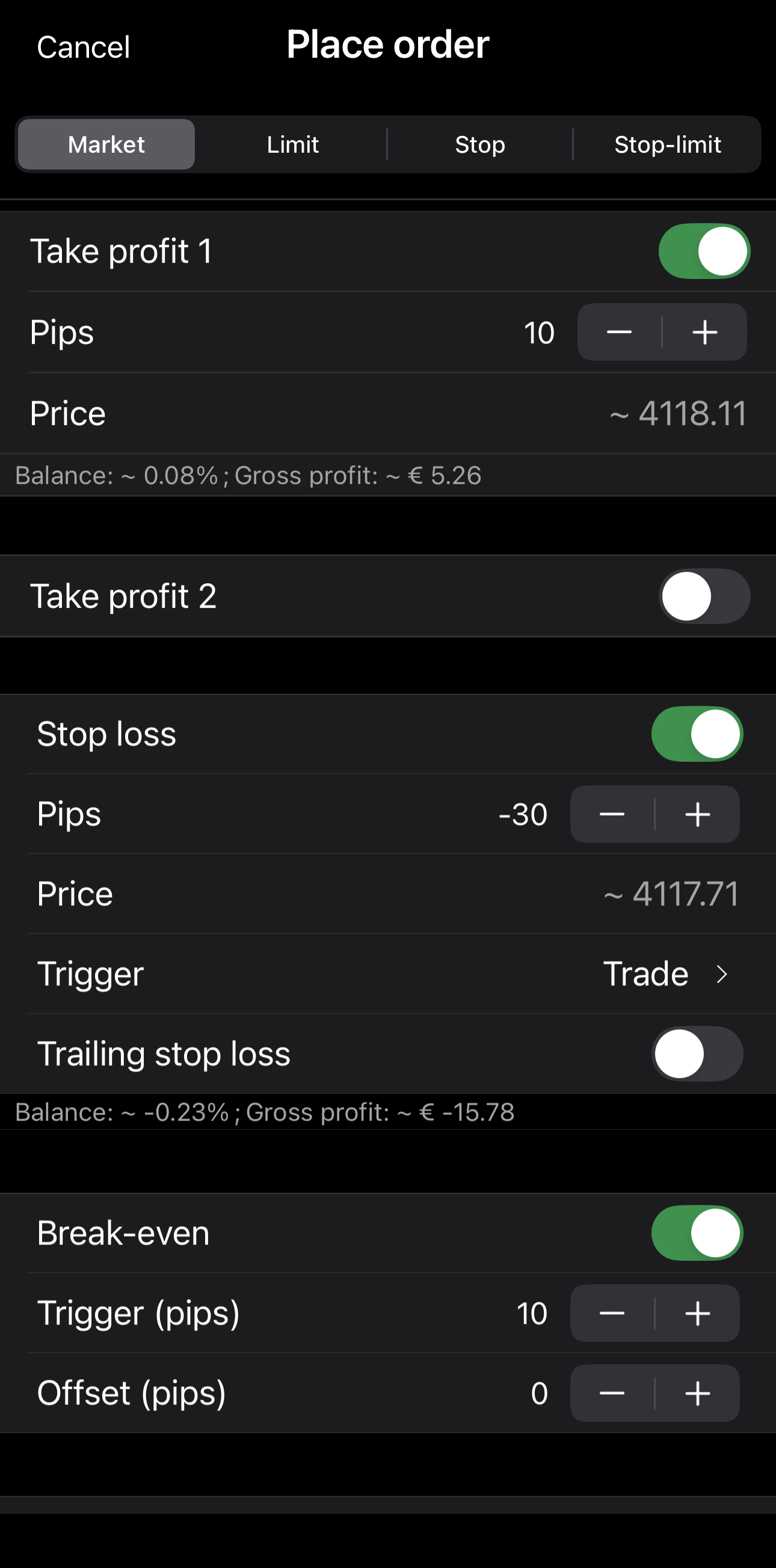
Set protections when you place an order, on the Place order screen.
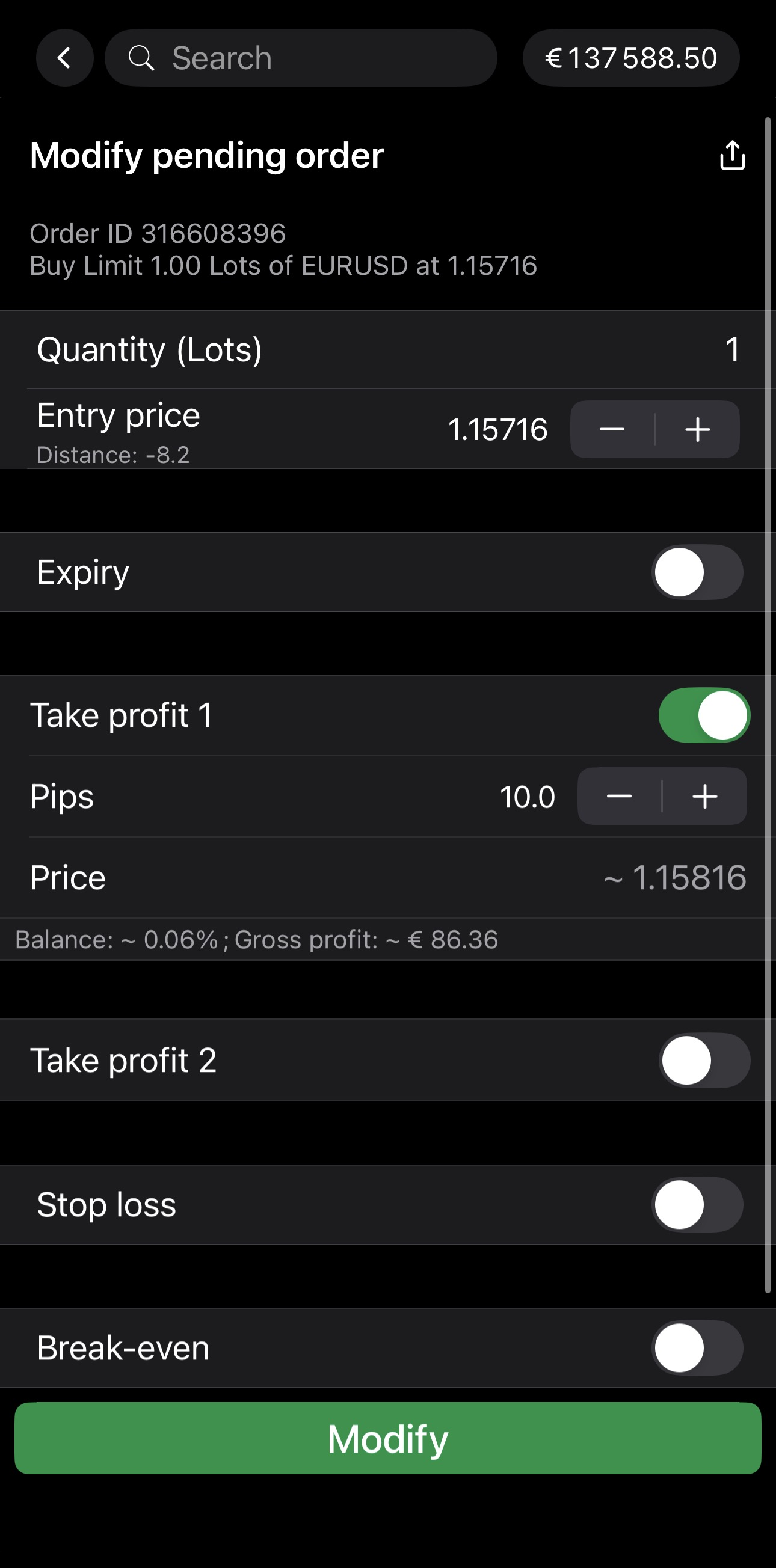
Change protections when you modify a pending order, on the Modify pending order screen.
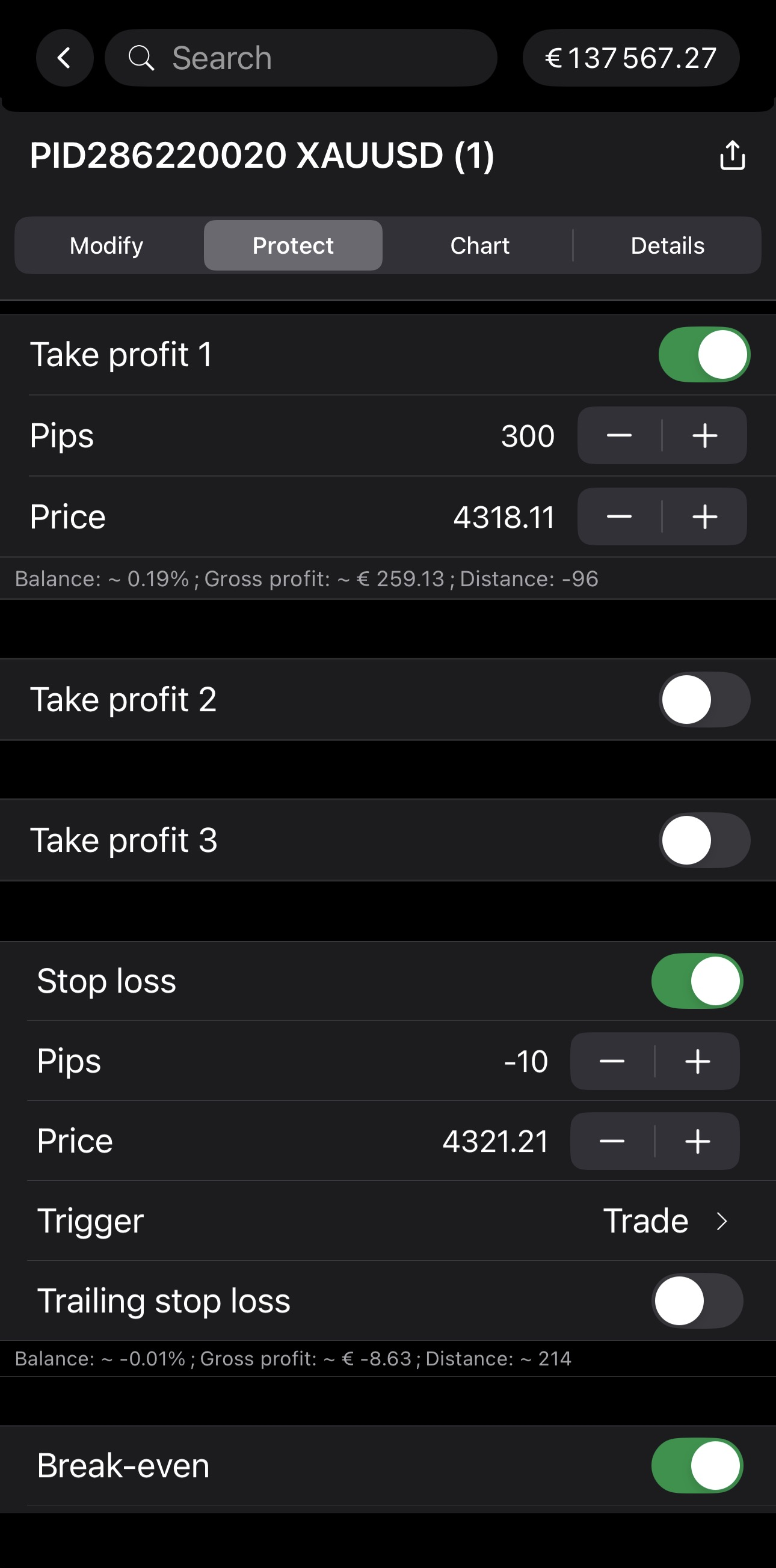
Protect an open position from the position's Protect tab.
Stop loss
Stop loss automatically limits your losses by closing an open position if the market moves unfavourably. When the price of a symbol falls to a specified level, cTrader triggers the stop loss and closes the position at a loss.
Enable Stop loss, set the distance in Pips and, optionally, choose a Trigger.
Note
A stop-loss trigger determines the market price conditions that activate a stop loss, allowing you to control the sensitivity of protection levels to price movements. A tick is the smallest possible price movement (one price update).
| Trigger | Buy position triggered by | Sell position triggered by | Trigger behaviour |
|---|---|---|---|
| Trade | Bid | Ask | Default: stop loss based on the execution price of the trade side. |
| Opposite | Ask | Bid | Uses the opposite price stream from the trade direction. |
| Double trade | 2 × bid ticks | 2 × ask ticks | Triggers stop loss only after 2 consecutive price ticks cross the stop loss level. |
| Double opposite | 2 × ask ticks | 2 × bid ticks | Stricter confirmation: the opposite price stream must cross the stop loss twice. |
Note
You can also set a stop loss by dragging the SL control on a chart.
Trailing stop loss
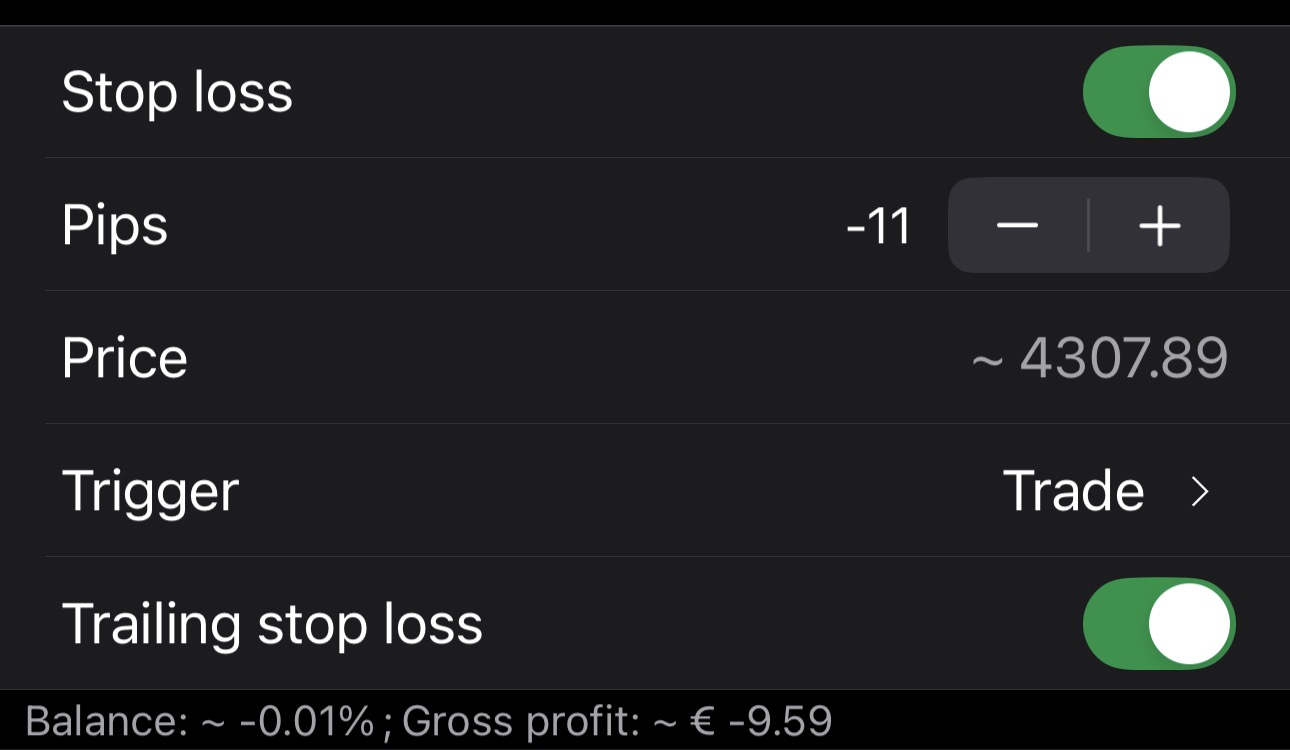
Trailing stop loss automatically adjusts the stop loss as the price moves in your favour. It maintains a fixed distance from the current price and never moves backwards, protecting profits while leaving the trade open to develop.
With Stop loss enabled, turn on Trailing stop loss beneath it.
Break-even
Break-even sets a stop loss at the entry price after a favourable movement. If the market reverses, cTrader closes the position at or close to the original entry price, resulting in zero net loss, excluding spreads, commissions and slippage costs.
Note
Break-even can function independently of the Stop loss option.
Turn on Break-even and set:
- Trigger (pips) – the amount of favourable price movement that will set a stop loss at the entry price.
- Offset (pips) – the additional price distance beyond the entry price for setting the stop loss.
Note
A break-even stop loss with a defined trigger but zero offset may result in a small net loss due to spread, commission or slippage. Offset applies after the trigger, aiming to cover those costs by locking in a small profit.
Example
- Entry price: 1.1000
- Break-even trigger: 30 pips
- Break-even offset: 5 pips
When the price rises favourably to 1.1030 (entry + 30 pips), cTrader sets a stop loss at 1.1005 (entry + 5 pips). If the price reverses, the trade closes with a small profit.
Take profit
Take profit automatically closes an open position when the market reaches a specified profit level. If the price of a symbol rises to the target, cTrader triggers the take profit and closes the position at a profit.
Enable Take profit 1, then set the distance in Pips.
To scale out, turn on Take profit 2, Take profit 3 and so on, up to 5 levels. Each closes part of the position instead of exiting at a single target.
Each take-profit level has three fields:
- Quantity/Volume – the part of the position closed at that level.
- Pips – the distance from the entry price that triggers it.
- Price – a read-only value worked out from Pips.
By default, each level you add halves the one before it. Change Quantity/Volume to set your own portions. The last level you add is fixed at the remainder.
Example
- Order: 1 lot of XAUUSD, buy limit at 4325.13
- Take profit 1: 0.50 lots at 10 pips, closing at 4325.23
- Take profit 2: 0.25 lots at 20 pips, closing at 4325.33
- Take profit 3: 0.25 lots at 30 pips, closing at 4325.43
One pip on XAUUSD is 0.01. Each level sits its pip distance above the entry price, putting Take profit 1 at 4325.23 and Take profit 3 at 4325.43. Half the position closes first, and each later level takes half of the one before it.
Note
You can also set one or more take profits by dragging the TP control on a chart.