Withdraw funds
Sellers can request the withdrawal of funds earned from selling paid products and manage pending withdrawals in cTrader Store.
Withdrawal rules
- The minimum withdrawal amount is $50.
- Funds are available for withdrawal only 14 days after the original transaction, in line with the buyer refund policy.
- A valid Visa or Mastercard payout card must be added before making a withdrawal.
- Withdrawal requests are processed twice a month, around the 15th and the 30th of each month.
Request a withdrawal
To request a withdrawal, open Finances in your account and click the Request withdrawal button.

In the Withdrawal window, first add a valid payout card (Visa or Mastercard) to Account details.
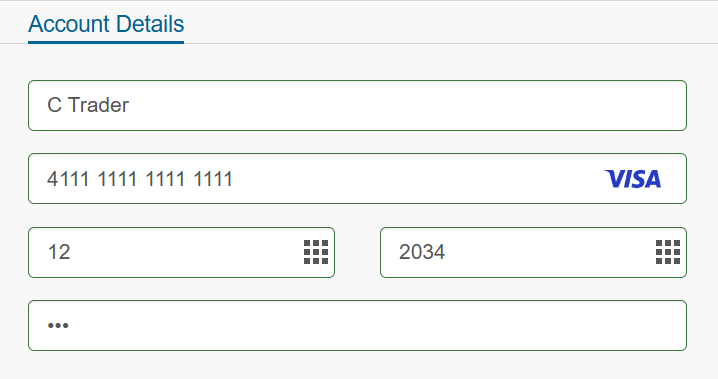
For subsequent withdrawals, you can quickly select your saved payment method or add a new one by clicking any of the Visa/Mastercard icons below.
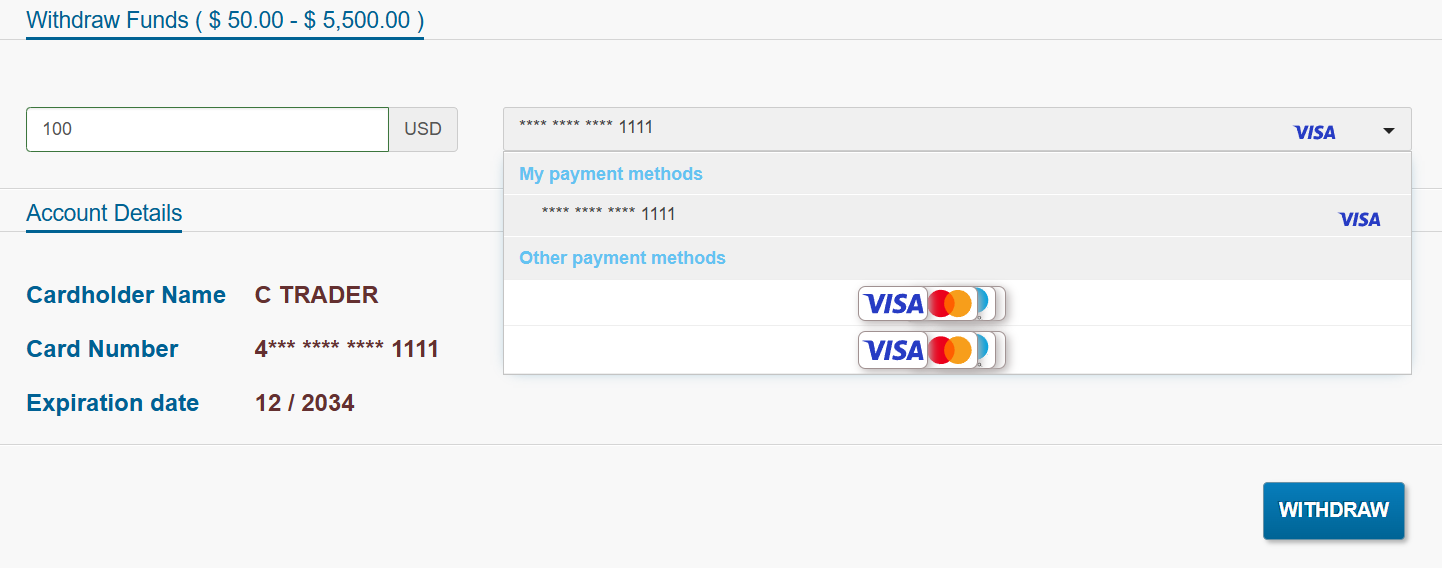
Enter the withdrawal amount, ensuring it is at least $50 and does not exceed your available balance (funds older than 14 days).
Next, click the Withdraw button. A confirmation will appear on the screen once your request is received.
Note
Withdrawals are processed twice a month, around the 15th and 30th of each month, and you will be notified once the funds are transferred.
For any further enquiries, please contact our Support Team at support@ctrader.com.
Manage pending withdrawals
Once submitted, the request appears as pending in the Withdrawal window.
You can cancel a pending withdrawal request at any time before it is approved by clicking the Cancel button. After cancelling, you can submit a new withdrawal request.
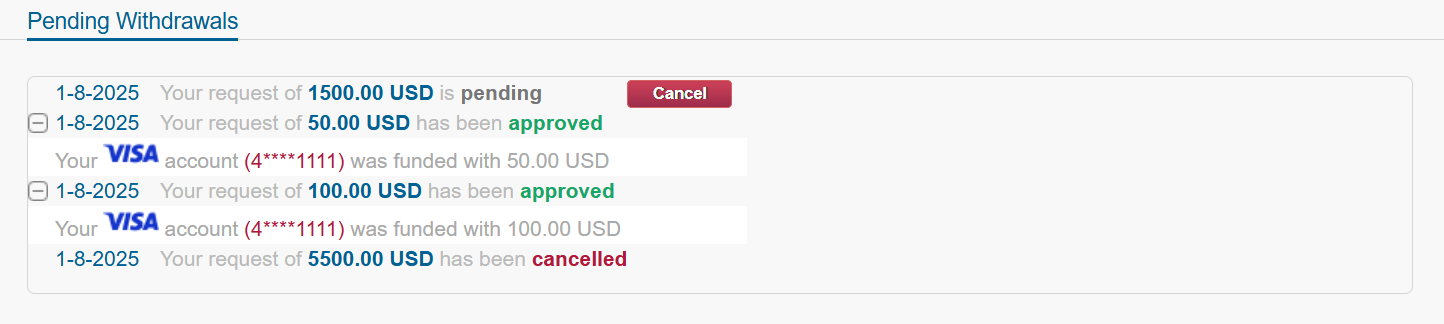
Approved withdrawals are credited to your selected payout card, and the Balance and Withdrawals dashboards are updated accordingly.
View withdrawal history
You can view your withdrawal history in the Withdrawals tab of Finances in your account.
Here, you can search and filter entries by period, product type and category. The Reset button restores the default filter settings. You can also sort each column.
By clicking Export, you can download your withdrawal history as a CSV file.
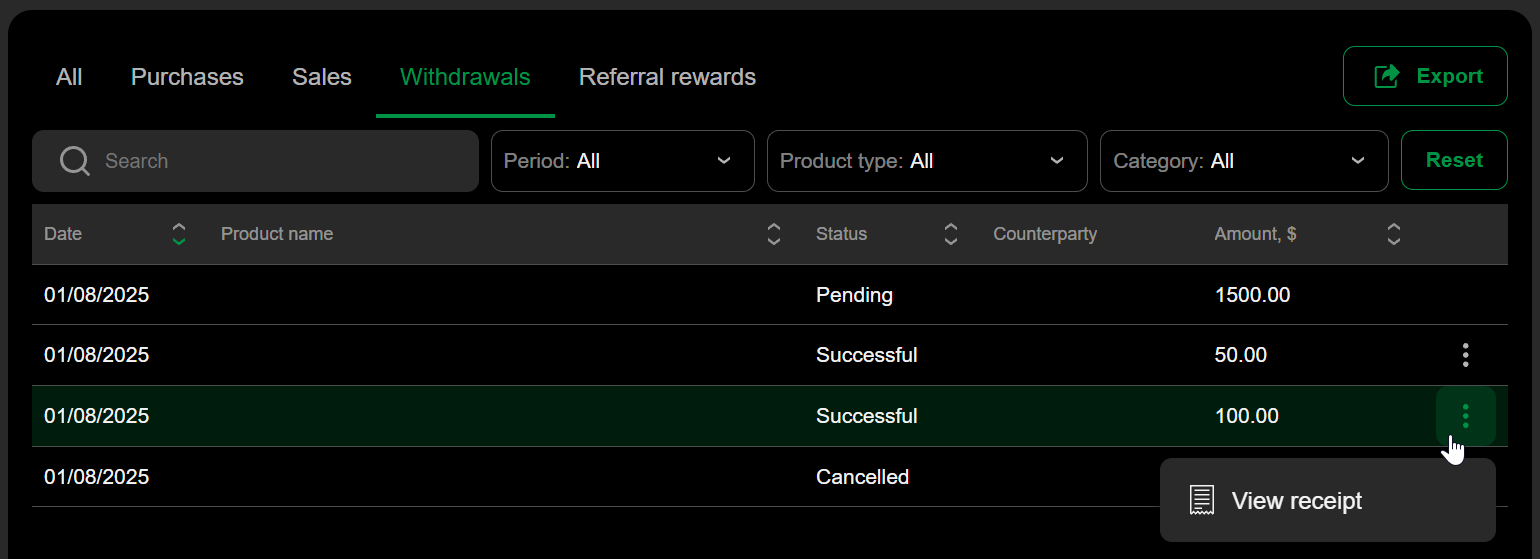
For successful withdrawals, click the More icon to view your receipt.