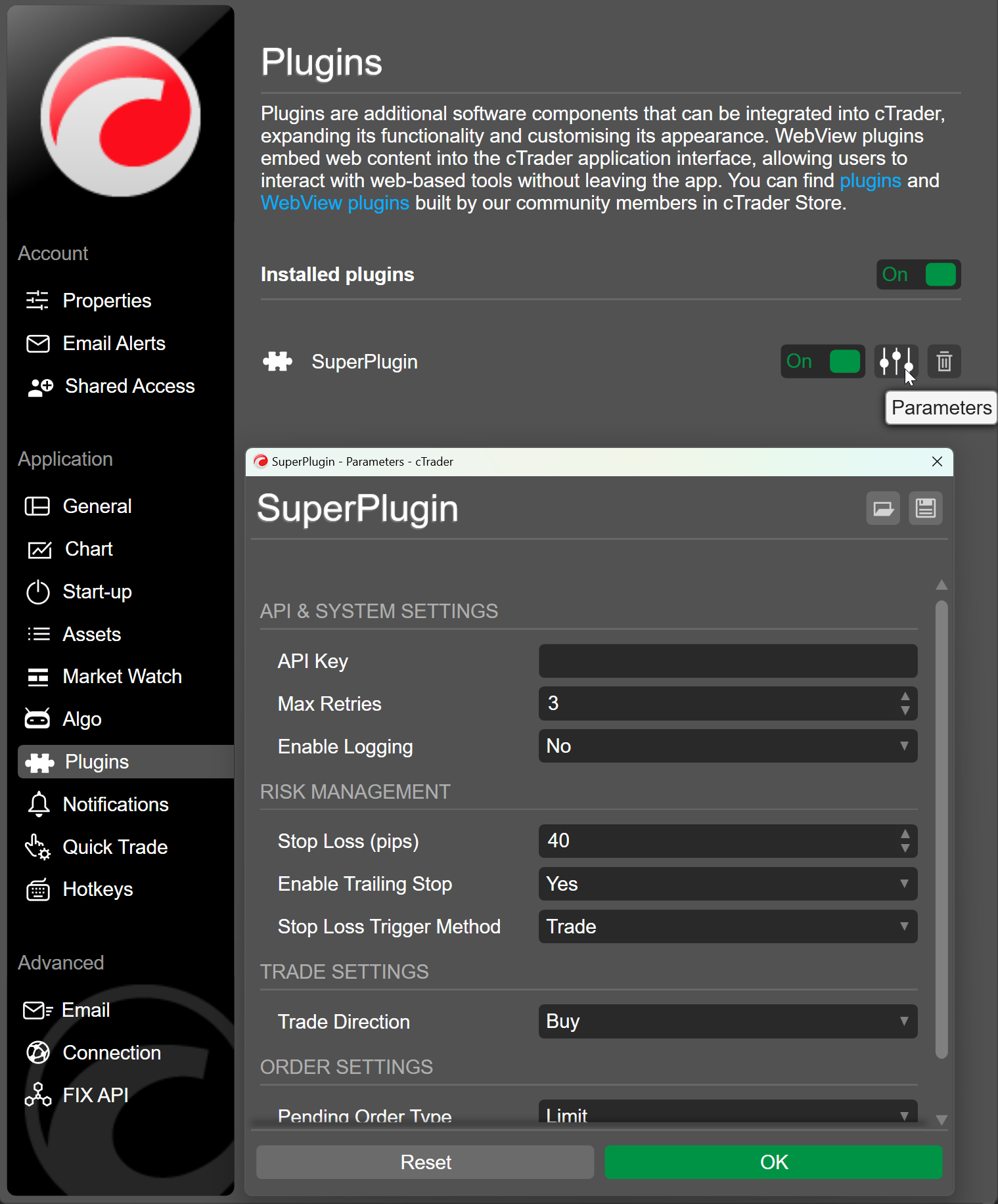
Customisable parameters are user-editable fields that control how a native plugin behaves in cTrader Windows and Mac. Users configure the plugin through them without accessing or modifying its source code.
Plugin customisable parameters in one minute
Customisable parameters significantly extend what plugins can achieve, transforming static plugin code into dynamic and configurable logic.
Plugin developers use customisable parameters in their code so that the end user can tailor the behaviour of the algo to their preferences.
Customisable parameters in plugins improve accessibility and bring plugin operations in line with the established capabilities of cBots and indicators.
You can access and edit the customsiable parameters of a plugin, if available, in the plugins section in settings.
Parameters are declared using the [Parameter] attribute placed above a public C# property. The plugin engine reads these attributes at initialisation and creates the parameter panel accordingly.
Uwaga
Python plugins use customisable parameters declared in their .cs files.
The code below tells cTrader to display an API Key text field under an API & SYSTEM SETTINGS group, and whatever a user enters will be assigned to the ApiKey property before the plugin starts.
12
[Parameter("API Key", Group = "API & SYSTEM SETTINGS", DefaultValue = " ")]publicstringApiKey{get;set;}
Here is a code example that declares several customisable parameters:
Once parameters are defined, they can be used inside any method in the plugin code. In most cases, these values will be read inside OnStart() or used during operations.
In this code example, several previously-declared customisable parameters are used in print statements, which are executed when the plugin starts:
1 2 3 4 5 6 7 8 9101112131415
protectedoverridevoidOnStart(){Print($"API Key: {ApiKey}");Print($"Max Retries: {MaxRetries}");Print($"Enable Logging: {EnableLogging}");Print($"Stop Loss (pips): {StopLossPips}");Print($"Enable Trailing Stop: {EnableTrailingStop}");Print($"Stop Loss Trigger Method: {StopLossTrigger}");Print($"Trade Direction: {TradeDirection}");Print($"Pending Order Type: {OrderType}");Print($"Expiry Time: {ExpiryTime}");}