Positions and deals
In cTrader, a deal represents the actual execution of an order. When an order is filled, it generates one or more deals, depending on available market liquidity. If the full requested volume can be executed at once, the order is filled with a single deal. If not, it may be filled in parts, resulting in multiple deals at different prices.
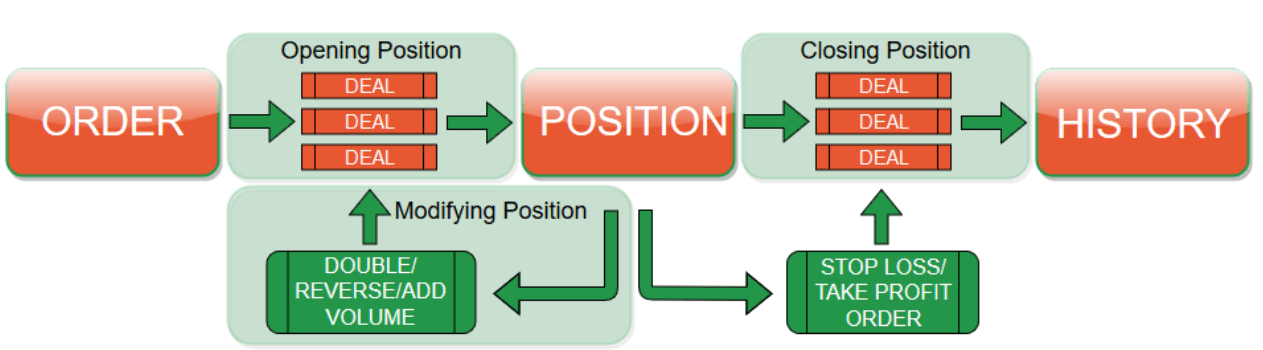
A position represents a trader’s open exposure on a symbol and results from one or more executed deals. Position handling depends on the account type:
- On a hedging account, multiple positions can remain open on the same symbol, including positions in opposite directions.
- On a netting account, all deals on the same symbol affect a single net position.
Tip
Open a position instantly by placing a market order, which executes immediately at the best available price.
Additional deals can occur when a trader increases the position size, reduces it or reverses direction.
Closing a position generates one or more deals in the opposite direction.
- On a hedging account, these deals are applied to the specific position being closed.
- On a netting account, they reduce, close or reverse the single position for the symbol.
Learn how to modify, protect and close positions in cTrader Mobile, Web, Windows and Mac.